SpriteCook vs Pixler
Both tools make game-ready pixel sprites, animate them and plug into coding agents. Here's an honest comparison — including the pricing math on animations.
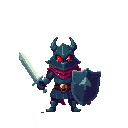
Sprites & animations made with pixler.dev



SpriteCook is a capable freemium sprite tool: it generates characters, items and backgrounds, animates them with presets and custom prompts, and gives 40 free credits a month with paid plans from $8/month. pixler.dev covers the same ground — characters, items, tiles and backgrounds, sprite-sheet animation of generated or uploaded sprites, and an MCP server for coding agents — with a lower cost per animation: on the same $8/month, pixler.dev's pool covers about four times more animations.
5 credits per animation, not 20
On pixler.dev an animation spends 5 credits from the same pool as images, compared with around 20 credits on SpriteCook — so re-rolling a take until it feels right stays cheap.
Roughly 4× the animations per dollar
On the $8/month tier, SpriteCook's ~800 monthly credits at ~20 per animation work out to around 40 animations. pixler.dev's $8 plan covers about 160 — because an animation here costs 5 credits, not 20.
Presets and custom motion, sprite sheets out
Both tools animate with one-click presets and custom text prompts. pixler.dev ships 11 presets — idle, walk, run, jump, crouch, attack, cast, hurt, death, float and turnaround — plus Custom, and returns a single-row sprite sheet of transparent PNG frames, engine-ready.
Built for coding agents too
Pixler's remote MCP server ships setup guides for Claude Code, Cursor, Codex, VS Code, Windsurf, Zed, Gemini CLI, OpenCode, Warp and Claude Desktop. Your agent can generate, edit and animate sprites and save the PNGs into the project. Commercial use with no attribution is included on every plan.
pixler.dev vs SpriteCook
| pixler.dev | SpriteCook | |
|---|---|---|
| Price | From $8/mo (800 credits) | From $8/mo; up to $70/mo |
| Try before paying | Small daily allowance | 40 credits per month |
| Cost per animation | 5 credits | ~20 credits |
| Animations for $8/mo | ≈160 | ~40 |
| Preset animations | 11 presets | |
| Custom text motion | ||
| Sprite-sheet output | Transparent PNG frames | |
| Backgrounds | Widescreen up to 1920×1080, portrait up to 1080×1920 | |
| Commercial use | Yes, no attribution | Yes |
| Best for | High-volume animating at a low cost per clip | All-in-one workflow with textures and exports |
Comparison based on publicly available information as of October 2026. SpriteCook is a trademark of its respective owner; pixler.dev is not affiliated with SpriteCook. Check each site for current pricing.
Frequently asked questions
Does Pixler support a pixel art API or MCP?
Yes. Use the REST API in your own tools, or connect a coding agent through the remote MCP server — setup guides cover Claude Code, Cursor, Codex, VS Code and six more clients. Access is included on every plan and uses the same balance as the website.
Can I animate a sprite I already have?
Yes. Upload your own pixel art sprite and animate it with any of the 11 presets or a custom motion described in words.
Does pixler.dev animate sprites like SpriteCook?
Yes. Both tools animate with presets and custom text prompts. pixler.dev has 11 animation presets plus a Custom option, and returns a single-row sprite sheet of transparent PNG frames (2–16 frames each). The main difference is price: an animation costs 5 credits here versus roughly 20 credits on SpriteCook.
How many animations do I get for $8 a month?
On pixler.dev's $8 plan the monthly pool covers about 160 animations, since each costs 5 credits. SpriteCook's $8 tier is around 800 credits, and at ~20 credits per animation that's roughly 40 — so pixler.dev gives about four times more for the same price.
Can pixler.dev generate backgrounds too?
Yes — pixel art backgrounds in widescreen from 256×144 up to 1920×1080 or portrait up to 1080×1920 for mobile games, alongside characters, items/icons/props and seamless tiles.
Can I use the art commercially?
Yes. Art and animations generated on pixler.dev can be used in commercial games and products without attribution.
Which should I choose?
Choose pixler.dev if you animate a lot and want the most animations per dollar, or want your coding agent to make the art. Choose SpriteCook if you prefer its all-in-one workflow with textures and export options.
Ready to make some pixel art?
Sprites, items, tiles, backgrounds and animation in one place.
Open generator