Pixel art item and icon generator
Fill your inventory, shop and loot tables — weapons, armor, potions, keys, chests and UI icons as transparent sprites at the size your game uses.
Items and icons made with pixler.dev


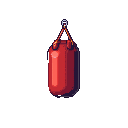
pixler.dev generates pixel art items and icons for games from a short description. Type "enchanted longsword with blue runes" or "red health potion with a cork" and get a centered, isolated object with the background already removed, at 16, 32, 64, 128 or 256 pixels. Lock one palette for the whole set so every icon in your inventory shares the same colors, make rarity variants with a text edit ("make the blade glow purple"), and animate pickups with the Float preset or a custom motion.
Weapons, armor, consumables, loot
Swords, bows, staffs, shields, helmets, potions, food, keys, scrolls, gems, coins and chests — centered, isolated objects with a transparent background, ready for an inventory grid or a shop screen.
Icon sizes that fit your UI
Generate at 16 or 32 pixels for compact inventories and HUDs, 64 (the default) for most item grids, and 128–256 for shop displays and item cards.
One palette for the whole set
Lock a palette such as NES, PICO-8 or Game Boy and every icon shares the same colors. Save it as a project so items you add next month still match.
Variants and pickups
Make rarity tiers and upgrades with a text edit instead of a new generation, and animate pickups with the Float preset or a custom motion like "spins and sparkles".
Frequently asked questions
What kinds of items can it generate?
Any object you can describe: weapons, armor, potions, food, keys, scrolls, gems, coins, chests, tools, furniture and environmental props, plus UI icons for skills and status effects.
What sizes are available?
16, 32, 64, 128 and 256 pixels square. 64×64 is the default; 16 and 32 suit compact inventories, 128 and 256 suit shop displays and item cards.
Are items transparent PNGs?
Yes. Every item is delivered with the background removed, so it drops into an inventory slot or onto a scene without masking.
How do I make a consistent icon set?
Lock one palette, keep one style and generate the set in one project. Use a text edit to make variants of an existing icon — a different color, material or rarity glow — so the shape stays the same.
Can my coding agent generate the item set?
Yes. Through Pixler's MCP server, Claude Code, Cursor or Codex can generate a list of items, check the jobs and save the PNGs into your project's assets folder.
Can I use the items in a commercial game?
Yes. Items and icons generated on pixler.dev can be used in commercial games without attribution.
Ready to make some pixel art?
Sprites, items, tiles, backgrounds and animation in one place.
Open generator