
AI sprite sheet generator
Generate a pixel sprite or upload your own, pick a motion and get a clean, evenly spaced transparent PNG sprite sheet ready for your engine.
Sprite sheets made with pixler.dev
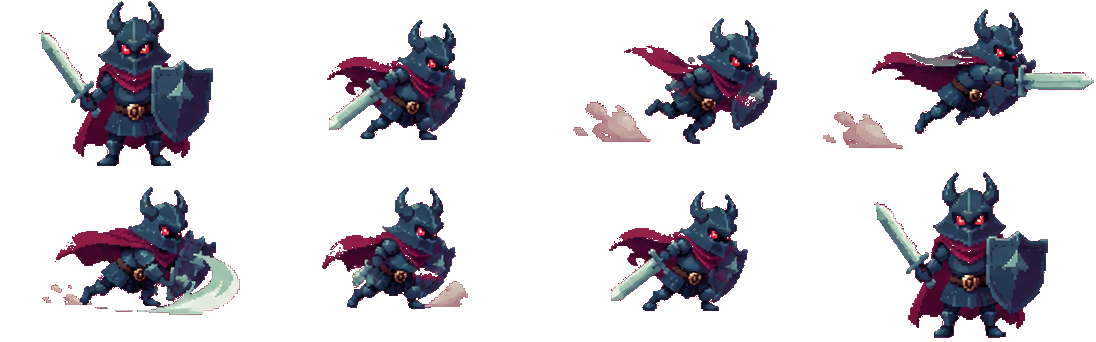
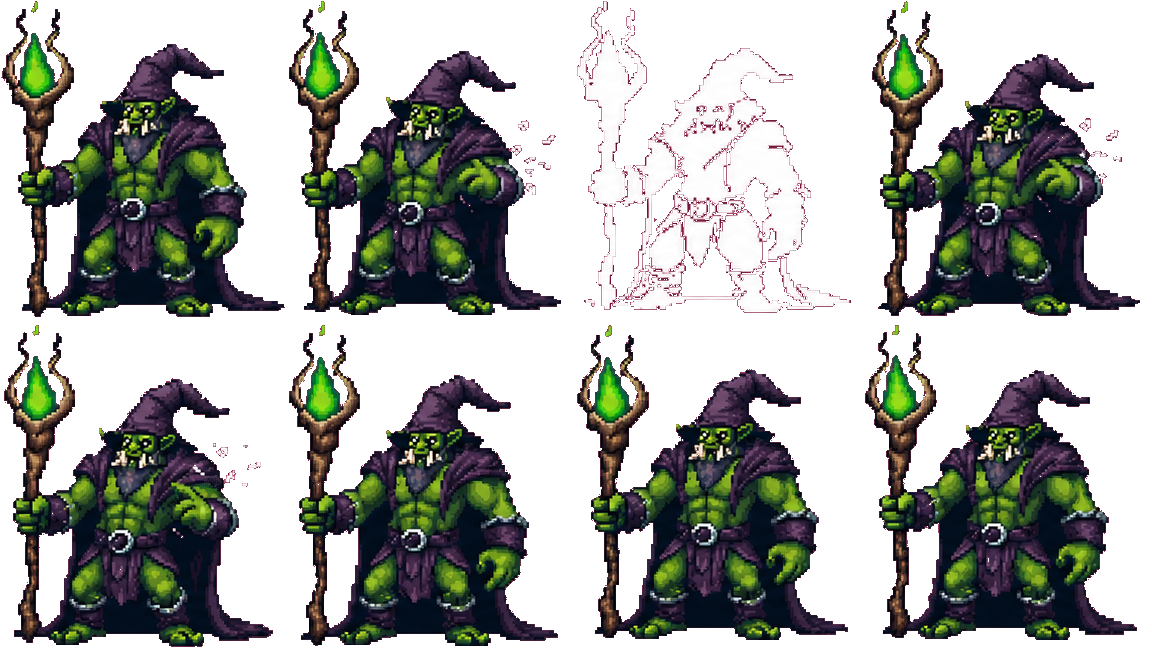
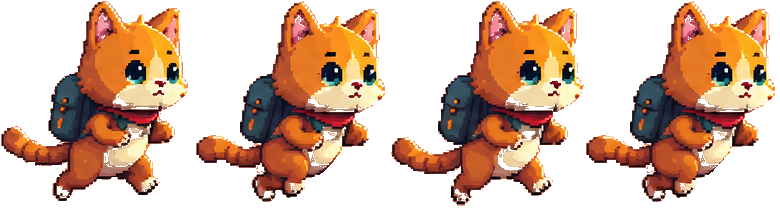
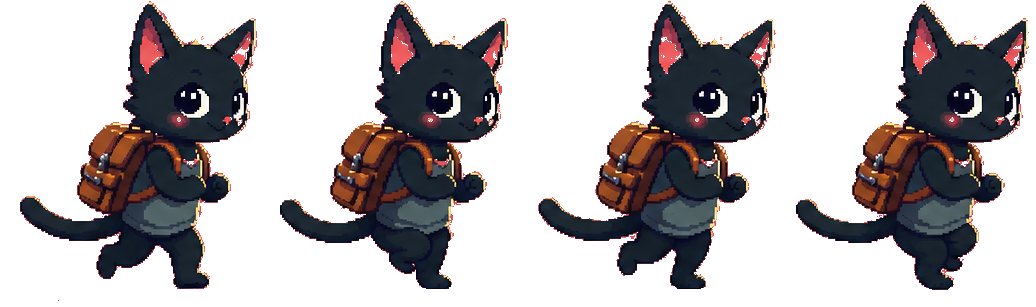
pixler.dev is a sprite sheet generator for game developers. Generate a character from a text prompt or upload one, choose an animation, and it returns a sprite sheet: one horizontal row of equally sized, evenly spaced frames on a transparent background. Because every frame is the same width, the sheet slices cleanly on a fixed frame size in Godot's AnimatedSprite, Unity's Sprite Editor, GameMaker, Phaser or LÖVE — no manual trimming or re-packing. You choose how many frames the sheet has (2–16), so you can trade smoothness against sheet size and match the frame count your engine's animation setup expects.
A clean, sliceable layout
Every sheet is a single horizontal row of frames, all the same width and evenly spaced. Divide the sheet width by the frame count to get your frame size — no odd padding, no re-packing, no trimming by hand before it drops into an engine.
Transparent PNG frames
Frames come out on a fully transparent background, so they layer straight over your scene. Set the texture filter to nearest to keep pixel-perfect edges once the sheet is imported and sliced.
Pick your frame count
Choose 2 to 16 frames per sheet. Fewer frames for snappy retro motion and a smaller texture, more for smooth walk and attack cycles — matched to whatever your animation system expects.
Cheap at volume
Each sheet costs five credits from your monthly pool — roughly 160 sheets on the $8/month plan and 400 on the $20 plan, far more per dollar than credit-based sprite tools.
Frequently asked questions
Does this pack existing images into a sprite atlas?
No. Pixler generates animation frames from a single sprite — generated in Pixler or uploaded — and exports them as a single-row PNG sheet. It does not pack an uploaded folder of existing frames into an atlas.
Can I generate sprite sheets through an API or MCP?
Yes. Generate a source sprite, then animate it with the REST API or the MCP animate tool. Poll the job until it completes and download the PNG sheet. API and MCP require an account token and use the same animation allowance as the browser.
How much does a sprite sheet cost?
Five credits from your monthly pool — about 160 sheets on the $8/month plan and 400 on the $20/month plan. Signed-in accounts can also try 2 sheets a day without a plan.
What layout are the sprite sheets in?
A single horizontal row of equally sized frames on a transparent background. The sheet width is the frame width times the frame count, so it slices on a fixed frame size with no manual cleanup.
How many frames can a sheet have?
Between 2 and 16 frames. You pick the count per sheet, trading animation smoothness against texture size.
How do I import the sprite sheet into Godot or Unity?
In Godot, load the PNG into an AnimatedSprite2D / SpriteFrames and set the horizontal frame count. In Unity, set the sprite mode to Multiple and slice by cell count in the Sprite Editor. Set the texture filter to 'nearest' (Godot) or 'Point (no filter)' (Unity) for crisp pixels. GameMaker, Phaser and LÖVE all read the same evenly spaced row.
What can I put on the sheet?
Any sprite — generated on Pixler or your own upload — animated with one of 11 presets — idle, walk, run, jump, crouch, attack, cast, hurt, death, float, turnaround — or a custom motion you describe in words.
Can I use the sprite sheets commercially?
Yes. Sheets generated on pixler.dev can be used in commercial games and products without attribution, on every plan.
Do you export a GIF or texture atlas too?
Not yet — the output is a single-row PNG sprite sheet, which is the most portable format for slicing in an engine. There's no GIF or packed texture-atlas export in this version.
Ready to make some pixel art?
Sprites, items, tiles, backgrounds and animation in one place.
Open generator